


CookUnity - A Chef Marketplace
4.72.70K Reviews
App Specs
- Version
- 2.47.0
- Updated On
- License
- Free
- Downloads
- 100,000+
- Developer
- CookUnity Inc.
- Categories
- Food & Drink
- Platform
- Android
Screenshots
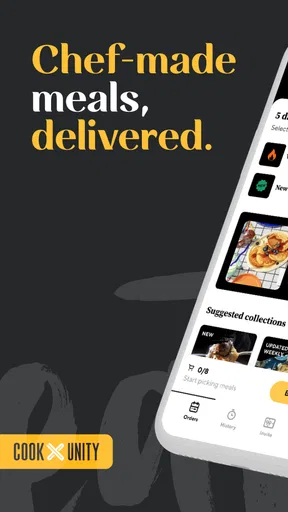

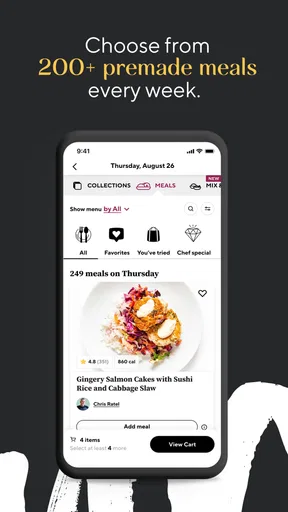

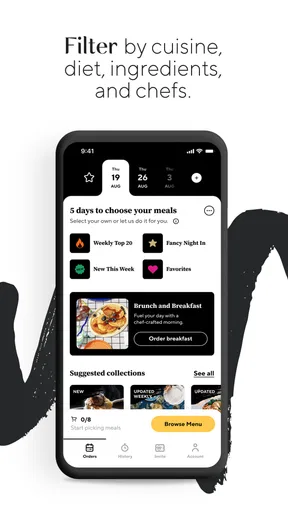

 Analysis by AppCompare
I approached CookUnity - A Chef Marketplace as a practical food and drink app rather than just another meal-ordering service. Its basic idea is easy to understand: chefs prepare meals, and the service brings them to you. What matters in daily use, though, is whether that promise makes choosing food easier, whether the account experience feels manageable, and whether the app gives you enough control before you commit to a meal routine.
My overall impression is positive, with an important qualification: this is most appealing to people who value convenience and chef-created variety more than absolute control over every ingredient or the lowest possible food budget. I found the concept useful for busy weeks, but I would still take a careful look at meal details and account choices before relying on it regularly.
What CookUnity feels like in everyday use
CookUnity is a free Food & Drink app from CookUnity Inc., available to everyone and running on Android 8.0 or later. It launched on July 21, 2022, and the current version is 2.46.0. Those details matter less than the practical question: does it fit the way you actually eat?
For me, the strongest use case is the week when cooking has become one task too many. Imagine finishing work late, opening the refrigerator, and finding ingredients that require planning, chopping, and cleanup. A chef-prepared meal can remove several of those decisions at once. Instead of searching recipes, checking cooking times, and ordering separate groceries, you can focus on selecting something that suits the evening.
That convenience is different from using a recipe app. Recipe apps are better when I want to cook from scratch, adjust portions freely, or use ingredients already in my kitchen. CookUnity is more useful when the real problem is time and decision fatigue. It also differs from a standard takeaway app: the experience is centered on prepared meals rather than choosing from a restaurant menu at the last minute.
The chef-marketplace angle gives the service a more curated feeling than a long list of unrelated restaurants. I like that this can make meal selection feel more intentional. At the same time, a curated choice is still a choice made within the service’s structure. If you enjoy wandering through local restaurants, customizing every part of a dish, or deciding exactly when a meal is cooked, a conventional delivery app or home cooking may suit you better.
The app has built a respectable audience, with a 4.7 average from around 8,200 ratings and more than 100,000 installs. That does not guarantee that every meal or account experience will work for me, but it suggests that the central idea has found an audience. I treat those numbers as context rather than a substitute for checking whether the service matches my eating habits.
Worth Reading Before You Choose

EA SPORTS FC Mobile 26 Is a Bigger Football Game, but It Takes Time

Flipboard Shows What News Apps Must Do Beyond the Feed

Switching to Android Auto Means Rethinking Your Driving Routine

Google Calendar Makes a Crowded Week Easier to Manage

Ludo King Makes the Most of the Minutes Between Plans

Baby Panda World Brings Quick Play to Modern Phones, but Its Game Library Feels Busy
Trust starts with knowing what you are choosing
Food apps ask for a different kind of trust from entertainment or shopping apps. I am not only deciding whether the interface is pleasant; I am deciding whether I can understand the meals, manage my choices, and avoid surprises in a routine that affects what I eat. That is why I pay attention to visible information and user controls before becoming dependent on the service.
CookUnity’s presentation is strongest when it helps me make a meal decision without burying the important details. A useful food app should let me distinguish between browsing and committing, review what I selected, and understand the practical consequences of continuing. I would not treat attractive photography or chef descriptions as enough on their own. The useful test is whether the app supports deliberate choices when I am hungry, rushed, or distracted.
That distinction is especially important for people with allergies, dietary restrictions, or a strict household budget. A meal marketplace can save time, but convenience can also encourage quick taps. My advice is to slow down at the point where a selection becomes part of your plan. Read the meal information carefully, check the final choices, and do not assume that a dish is suitable merely because its title sounds familiar.
The most trustworthy habit is to review every important choice before it becomes routine. I would apply that rule to meal selections, delivery-related decisions, notifications, and account settings. It is simple, but it prevents the common mistake of treating a food subscription-style experience as something that can be left unattended indefinitely.
Account controls deserve as much attention as meal discovery
One of the less obvious lessons from using a service like this is that the account is part of the product, not just a doorway into it. Before I would recommend CookUnity for repeated use, I would make sure I understood how to review upcoming selections, change my preferences, and stop using the service when my schedule changes. Those are not minor administrative details; they determine whether convenience remains convenient.
I prefer apps that make the difference between browsing, saving, selecting, and confirming clear. When those stages are easy to distinguish, I feel more comfortable exploring unfamiliar meals. When they are compressed into a fast flow, I become more cautious, particularly if I am using the app late at night or while multitasking.
A good personal workflow is to browse first without rushing, shortlist meals that fit the week, and then return for a deliberate confirmation. I would also keep an eye on the account area after making changes rather than assuming that a tap automatically produced the result I intended. This is a small discipline, but it is more reliable than trying to remember what I selected several days later.
Another practical point is shared households. If more than one person eats from the same account, preferences can become confusing quickly. I would agree on who makes the final selections and check the account before the next meal cycle. That avoids a surprisingly common problem with food services: one person assumes the other handled the choices, while neither has actually reviewed them.
For a single user, the app’s value is easier to judge. For a family or shared household, I would evaluate it based on coordination as much as food variety. If the service does not fit the way people in the home communicate about meals, a shared grocery list and a normal delivery service may create less friction.
Where data sensitivity enters the experience
Food preferences can reveal more than a person’s favorite flavors. Dietary choices may relate to allergies, health goals, religious practices, household routines, or simply a temporary change in appetite. I therefore avoid treating preference controls as harmless decoration. I want to know what I am choosing to save, what I am comfortable sharing through the account, and which settings I can revisit later.
I also recommend checking the app’s permission prompts and privacy choices as they appear on your device. I would grant only what feels necessary for the way I plan to use the app, and I would revisit those choices if I stop using a feature. This is not a criticism unique to CookUnity; it is sensible practice for any app connected to personal routines.
The important point is to separate visible user choices from assumptions. I would not infer how the service handles information simply from its food-focused design. Instead, I would read the privacy and account screens available during use, pay attention to consent language, and make decisions based on what is actually shown. That approach is more useful than assuming that a convenient meal app is either automatically safe or automatically intrusive.
Notifications are another data-sensitive moment in ordinary use. A reminder about meal planning can be helpful, but too many alerts can make the app feel demanding. I would keep notifications that support a real decision and turn off those that add noise. If I share a phone or use a lock screen in a public setting, I would also consider whether food-related previews reveal more than I want others to see.
These details may sound cautious, but they directly affect trust. I am more willing to use a food service repeatedly when I can see what the app is asking, decide what to allow, and change my mind without feeling trapped by the original setup.
How I would use it without losing control
My preferred approach is to treat CookUnity as a planning tool, not as an automatic answer to every meal. I would begin by identifying the nights when cooking is genuinely difficult. Those might be late workdays, travel recovery days, or evenings when several people need to eat at different times. I would then choose meals around those pressure points instead of trying to replace every meal in the week immediately.
This makes the value easier to measure. If the app saves me from ordering expensive last-minute food or throwing away unused groceries, it is doing something useful. If I already have a well-organized meal plan and enjoy cooking, adding prepared meals may simply increase spending and reduce the satisfaction I get from making food myself.
A second useful habit is to compare the app with the alternatives honestly. A grocery shop usually gives me more control over ingredients and portions, often at a lower cost per serving, but it demands planning and cooking time. A recipe service gives me structure while preserving the cooking experience. Restaurant delivery offers immediate variety and customization, though it can be less consistent as a weekly routine. CookUnity sits between these options: it emphasizes prepared, chef-created meals and convenience rather than raw ingredients or open-ended restaurant choice.
That middle position is its main strength and its main trade-off. I would recommend it to someone who wants more variety than repeating the same supermarket meals but less effort than cooking. I would hesitate to recommend it to someone who needs complete control over salt, sauces, substitutions, portion size, or preparation timing. In those cases, cooking at home remains the more flexible option.
People with allergies or medically important dietary needs should be particularly methodical. I would inspect each meal’s information myself and avoid relying on broad labels as a replacement for personal safety checks. If a household has complex restrictions, a service that lets you buy and prepare known ingredients may be easier to manage, even if it takes more time.
What makes the app worth trying, and what may frustrate you
The clearest benefit is reduced mental load. Choosing a prepared meal can remove the repeated cycle of planning, shopping, cooking, and cleaning. I also appreciate the possibility of breaking out of a narrow personal menu. Someone who usually rotates through the same few dinners may find the chef-led format more interesting than another basic meal planner.
There is also a useful emotional benefit: the app can make a busy day feel slightly less chaotic. Having a meal decision already handled is not glamorous, but it can be the difference between eating something sensible and making a tired choice at the last minute. That is where the service feels most convincing to me.
The limitations are just as real. Prepared meals are not the same as food cooked to order in your own kitchen. Texture, freshness, portion satisfaction, and personal taste can vary from one selection to another. I would expect some experimentation before finding the meals that fit my routine, and that trial-and-error can weaken the value if I dislike several choices.
There is also a risk of convenience becoming passive. If I stop reviewing selections because the routine feels automatic, I may end up with meals that no longer suit my schedule or preferences. The app works best when I remain an active participant: I choose carefully, check the account, and adjust my use as my week changes.
Finally, people who enjoy the social side of eating out may find the experience less satisfying than visiting a restaurant. CookUnity can simplify dinner, but it does not recreate the atmosphere, service, or spontaneity of going somewhere in person. That is not a flaw in the app so much as a reminder that convenience solves one problem, not every reason people choose food.
Who should download it first
I would point CookUnity toward busy professionals, people living alone who are tired of cooking full recipes, and households that want prepared meals without relying on restaurant ordering every night. It may also help anyone trying to introduce more variety into a predictable weekly menu while keeping the planning burden manageable.
I would suggest starting cautiously rather than building your entire routine around it. Use the free app to explore the experience, pay attention to how clearly choices are presented, and decide whether the meal information supports your needs. The fact that it is free to install makes that initial evaluation easier, but the real decision is whether the ongoing food routine delivers enough value for your circumstances.
I would skip it, or at least compare alternatives first, if your top priorities are the lowest grocery cost, exact ingredient control, large custom portions, or cooking everything immediately before eating. I would also be cautious if you dislike recurring planning tasks or tend to forget account changes. In that situation, the convenience may be offset by the attention needed to manage the service properly.
The Everyone content rating makes the app broadly accessible, but that does not remove the need for adult judgment around dietary suitability, household spending, or account use. I would still guide younger users through meal choices and any account decisions rather than treating the age rating as a recommendation for independent purchasing.
My cautious verdict after weighing convenience against control
CookUnity is a focused Food & Drink app with a clear place between grocery shopping, recipe planning, and restaurant delivery. I like it most as a pressure-release valve for difficult evenings, not as a universal replacement for every other way of getting food. The chef-created format can add variety, while the prepared-meal approach addresses the exact moment when time and energy are in short supply.
Its trustworthiness, in my view, depends less on the basic promise and more on how deliberately I use it. I would review choices before confirming them, inspect meal information carefully, manage notifications and permissions through visible device controls, and revisit account settings whenever my schedule changes. Those habits preserve user agency and make the convenience feel earned rather than automatic.
With a 4.7 average and around 8,200 ratings, it has enough user interest to justify a serious look, and the current 2.46.0 release supports modern Android devices from version 8.0 onward. I would not treat popularity as proof that it is right for everyone. My recommendation is more specific: try it if your main problem is meal-time effort and you are comfortable trading some control for convenience. Choose groceries, recipes, or traditional restaurant ordering instead if flexibility, ingredient certainty, or cooking enjoyment matters more to you.
In short, I would recommend CookUnity to a friend who wants chef-prepared variety during a busy week, provided that friend is willing to stay involved in the choices. It is most useful when it reduces planning without replacing your judgment. That balance is what makes the app worth considering, and it is also the boundary that keeps my recommendation measured rather than unconditional.
Pros
- Wide variety of chef-created meals with rotating menus.
- Convenient delivery makes weekday meal planning much easier.
- Meals arrive ready to heat
- with minimal cleanup required.
- Dietary filters help locate vegetarian
- low-carb
- and other options.
- Portions are generally satisfying and suitable for individual servings.
Cons
- Subscription pricing can be expensive compared with cooking at home.
- Delivery availability and menu selection vary by location.
- Some meals may arrive with excessive packaging and ice packs.
- Portion sizes and flavor quality can differ between chefs.
- Skipping or canceling requires attention before the billing deadline.
FAQs for CookUnity - A Chef Marketplace
What is CookUnity, and how does its chef marketplace work?
CookUnity is a prepared-meal delivery service that connects customers with independent chefs and culinary professionals. Instead of receiving meal kits that require cooking, you typically select fully prepared dishes from a rotating marketplace. Each chef may offer a different style, cuisine, and menu, so the experience feels more like choosing from several personal menus than ordering from one standard kitchen.
Do I need to cook the meals after they arrive?
Most CookUnity meals arrive fully prepared and only need reheating, which makes the service convenient for busy schedules. The app normally provides heating instructions for each dish, although timing can vary depending on whether you use a microwave, oven, or another appliance. You should still check the packaging before eating, especially for storage instructions, expiration dates, and allergen information.
Can I choose meals based on dietary preferences or allergies?
CookUnity generally allows users to browse meals using preferences such as cuisine, protein, calorie range, or dietary requirements. However, filters should not replace careful label checking. Recipes and ingredients can change, and meals prepared in a shared commercial environment may involve cross-contact with allergens. If you have a severe allergy or strict medical diet, review the complete ingredient and allergen details before ordering.
How much does CookUnity cost, and are there additional delivery charges?
The total price depends on the number of meals selected, your delivery location, current promotions, and any applicable fees. Meal prices are usually shown during the selection and checkout process, but the final amount may also include delivery or service-related charges. Before confirming an order, review the complete checkout summary so you understand the recurring plan, taxes, discounts, and cancellation terms.
Can I skip, change, or cancel a CookUnity subscription?
CookUnity is designed around recurring meal deliveries, but customers can generally manage upcoming orders through the app or website. You may be able to change meals, adjust the delivery frequency, skip a week, or cancel the plan, provided you do so before the applicable cutoff time. Check the order-management screen carefully, because changes made after the deadline may not affect an order already being prepared.


